
How to Persist Typed User Settings in C#
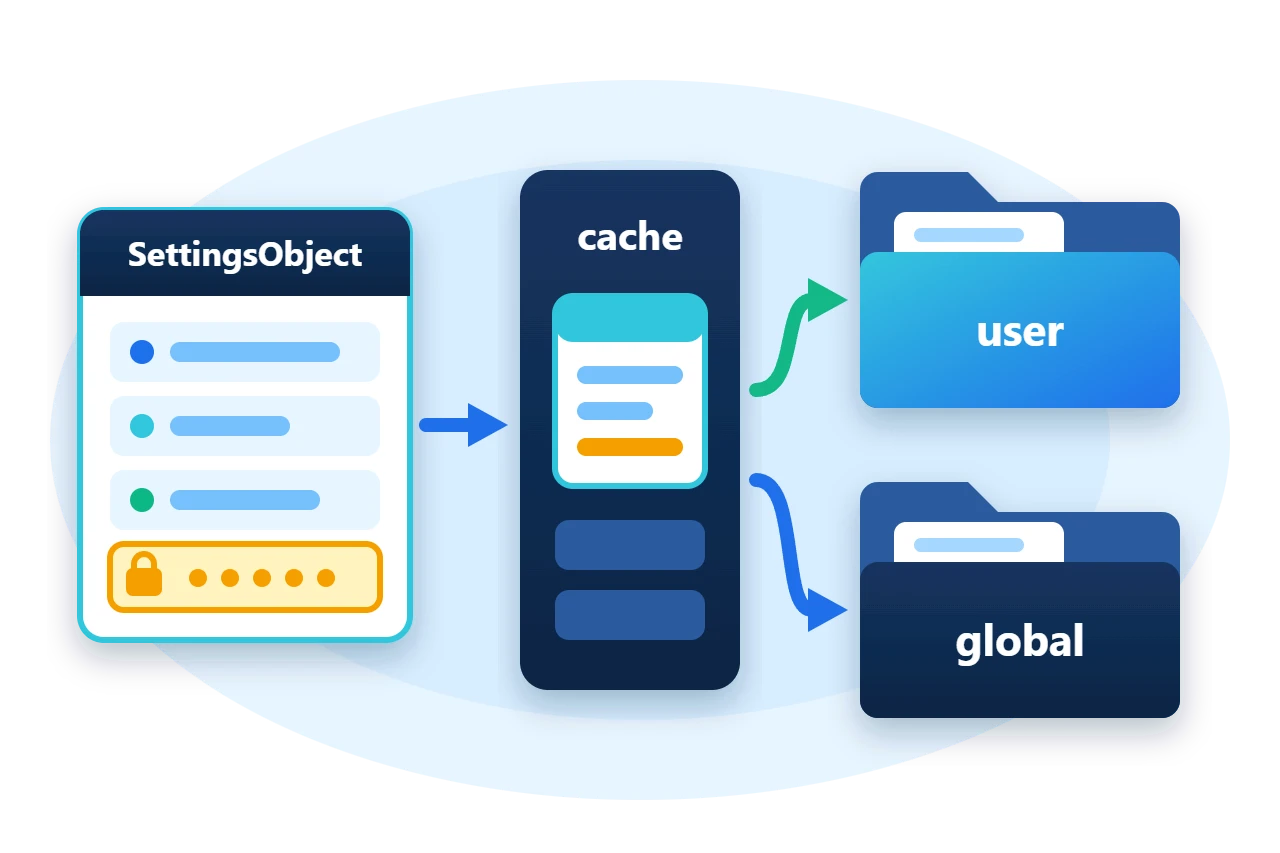
Most applications need to remember a few things between sessions, such as a page size, the last search or a connection option. Reading and writing those values by string key spreads names, defaults and type conversions through the code, and a secret such as an access token ends up in a file as plain text.
The settings library in Sphere10.Framework.Application treats each group of preferences as a typed object. You declare a class with its defaults, load it, change its properties and call Save(). This article covers declaring settings, where they are stored, how the provider chain works, and how defaults, validation and encryption behave.
1. Declare a settings class
A settings class is public, has a public parameterless constructor and exposes plain properties.
public class ViewPreferences : SettingsObject {
	[DefaultValue(50)]
	public int PageSize { get; set; }

	[DefaultValue("")]
	public string SearchText { get; set; }

	[EncryptedString]
	public string AccessToken { get; set; }

	public List<string> Columns { get; set; }

	public override void RestoreDefaultValues() {
		base.RestoreDefaultValues();
		Columns = new List<string> { "Id", "Name" };
	}

	public override Result Validate()
		=> PageSize is >= 10 and <= 500 ? Result.Success : Result.Error("PageSize must be between 10 and 500.");
}
-
[DefaultValue]declares a scalar default. The base constructor applies it, andRestoreDefaultValues()applies it again. -
Defaults that an attribute cannot express, such as a collection, go in an override of
RestoreDefaultValues()that calls the base method first. -
[EncryptedString]marks a string that must not be stored as clear text. -
Validate()returns aResult, so a caller can reject a value before saving it.
2. The parts
Every settings record derives from SettingsObject, and every record carries the provider that loaded it. The provider is what Save(), Load() and Delete() call.
Two static facades sit in front of the providers. UserSettings holds preferences of the current user, and GlobalSettings holds values shared by every user of the machine. By default each is a CachedSettingsProvider over a DirectoryFileSettingsProvider.
Diagram source
classDiagram
    direction TB
    class SettingsObject {
      +ID
      +Save()
      +Delete()
      +Validate()
    }
    class ISettingsProvider {
      +Get~T~(id)
      +Has~T~(id)
    }
    class CachedSettingsProvider {
      one object per type and ID
    }
    class DirectoryFileSettingsProvider {
      one JSON file per record
    }
    SettingsObject --> ISettingsProvider : Provider
    ISettingsProvider <|.. CachedSettingsProvider
    CachedSettingsProvider --> DirectoryFileSettingsProvider : Inner
3. Start the framework and choose the storage
The facades work once the framework has started with the Application module. The sample registers its own providers first, so that the files go into a directory it controls.
Sphere10Framework.Instance
	.Build()
	.WithProductInformation(product => product.ProductName = "ArticleSample")
	.AddServices(services => {
		services.AddSingleton(new Local<ISettingsProvider>(new CachedSettingsProvider(new DirectoryFileSettingsProvider(userDirectory))));
		services.AddSingleton(new Global<ISettingsProvider>(new CachedSettingsProvider(new DirectoryFileSettingsProvider(sharedDirectory))));
	})
	.AddModule<Sphere10.Framework.Application.ModuleConfiguration>()
	.Start();
Local<ISettingsProvider> backs UserSettings and Global<ISettingsProvider> backs GlobalSettings. Without these two registrations the module uses its defaults.
| Facade | Default directory |
UserSettings |
Local application data, under the product name |
GlobalSettings |
Common application data, under the product name |
4. Load, change and save
Get<T>(id) returns the stored record, or a new one with its defaults. The optional ID keeps several records of one type apart.
var preferences = UserSettings.Get<ViewPreferences>("Main");
Change properties and call Save() on the object you were given. OnChanged fires after a save succeeds.
var saves = 0;
preferences.OnChanged += () => saves++;
preferences.PageSize = 120;
preferences.SearchText = "open";
preferences.AccessToken = "token-123";
preferences.Columns.Add("Total");
Require(preferences.Validate().IsSuccess, "Valid settings were rejected.");
preferences.Save();
The steps behind those two calls are as follows.
Three details follow from this design.
-
A new record is not stored until it is saved. Asking for settings never creates a file.
-
The cache shares one instance. Every
Get<ViewPreferences>("Main")in the session returns the same object, so all consumers see an edit at once. -
Encryption happens on a copy. The file holds the encrypted token while the live object keeps the clear text.
The directory provider names each file after the type, plus the ID when there is one, and writes indented JSON. The sample's record is ViewPreferences_Main.setting.
Diagram source
---
config:
  sequence:
    actorMargin: 8
    width: 96
    mirrorActors: false
    messageMargin: 28
    noteMargin: 8
---
sequenceDiagram
    participant A as Application
    participant C as Cache
    participant D as Files
    A->>C: Get(id)
    C->>D: stored?
    D-->>C: no
    C-->>A: new defaults
    A->>C: Save()
    C->>D: encrypt, write
    Note over A: OnChanged raised
5. Read the next session
Because the cache returns its own object, the way to see what the next session will read is a new provider over the same directory.
ISettingsProvider nextSession = new DirectoryFileSettingsProvider(userDirectory);
var reloaded = nextSession.Get<ViewPreferences>("Main");
Require(reloaded.PageSize == 120 && reloaded.AccessToken == "token-123" && reloaded.Columns.Count == 3, "The stored record did not reload.");
The variable is typed as ISettingsProvider on purpose. Get<T> and Has<T> are default members of the interface and are not visible on a variable typed as a concrete provider.
6. Validate, reset and delete
A stored record can predate the ranges the current version accepts, so check it after loading and before accepting an edit.
preferences.PageSize = 5;
var validation = preferences.Validate();
Require(validation.IsFailure, "An out-of-range value passed validation.");
Console.WriteLine($"Validation: {validation.ErrorMessages.Single()}");
preferences.RestoreDefaultValues();
Machine-wide settings use the other facade, and Delete() removes a record from storage and from the cache.
var server = GlobalSettings.Get<ServerOptions>();
server.Port = 9090;
server.Save();
preferences.Delete();
Require(!UserSettings.Has<ViewPreferences>("Main"), "Delete left the record behind.");
7. Limits and rules
[assembly: AssemblyApplicationSecret("...")] in the entry assembly, and saving or loading a type with an [EncryptedString] member throws without it. With the default salt policy, any machine that has the same secret can decrypt the values, and changing the secret makes stored values unreadable.
-
The storage key is the type name plus the ID. Renaming either orphans the stored record.
-
Two settings classes with the same name in different namespaces share a file unless the provider is created with
DirectorySettingsProviderPolicy.UseFullyQualifiedTypeNameInFilename. -
An object created with
newhas no provider, so itsSave()throws. Always start fromGet<T>(). -
The facades throw until the Application module has initialized. Read settings from an initializer or later, never from another module's
OnInitialize. -
A settings object has no lock. Edit a shared record from one thread.
-
Settings are for preferences and small configuration values. Business data belongs in the application's own storage.
8. Get the package and run the sample
The settings library is in Sphere10.Framework.Application, which is added beside the core package.
dotnet add package Sphere10.Framework --version 3.1.3
dotnet add package Sphere10.Framework.Application --version 3.1.3
The complete MIT-licensed sample contains the code shown above.
dotnet run -c Release -- ./fresh-data
New record: PageSize 50, columns Id,Name
Saved ViewPreferences_Main.setting; AccessToken is encrypted in the file
Reloaded by a new provider: PageSize 120, token decrypted, 3 columns
Validation: PageSize must be between 10 and 500.
Global record saved; user record deleted
Settings checks: passed
The settings guide also covers asynchronous use, writing a custom provider and the settings that screens and plugins declare.
The Sphere10 Framework overview describes the rest of the toolkit.
Author: Herman Schoenfeld
