
How to Replace BinaryFormatter in Modern .NET with BinarySerializer
BinaryFormatter turned any object graph into bytes with two calls and no setup, and a great deal of code came to depend on that. It has been obsolete since .NET 5 and its implementation was removed from the runtime in .NET 9, so code that cached objects, cloned them or saved application state through it needs another way to write an arbitrary object to a stream. Most replacements ask for a schema, attributes on every type or a list of known types before they will serialize anything.
Sphere10 Framework's BinarySerializer keeps the two-call shape. It serializes objects it was never told about, including collections, derived types, shared references and cycles, and it needs no attributes or registrations. This article shows the calls, explains how the serializer works out a type it has not seen, describes what it writes to the stream, and sets out where it differs from BinaryFormatter.
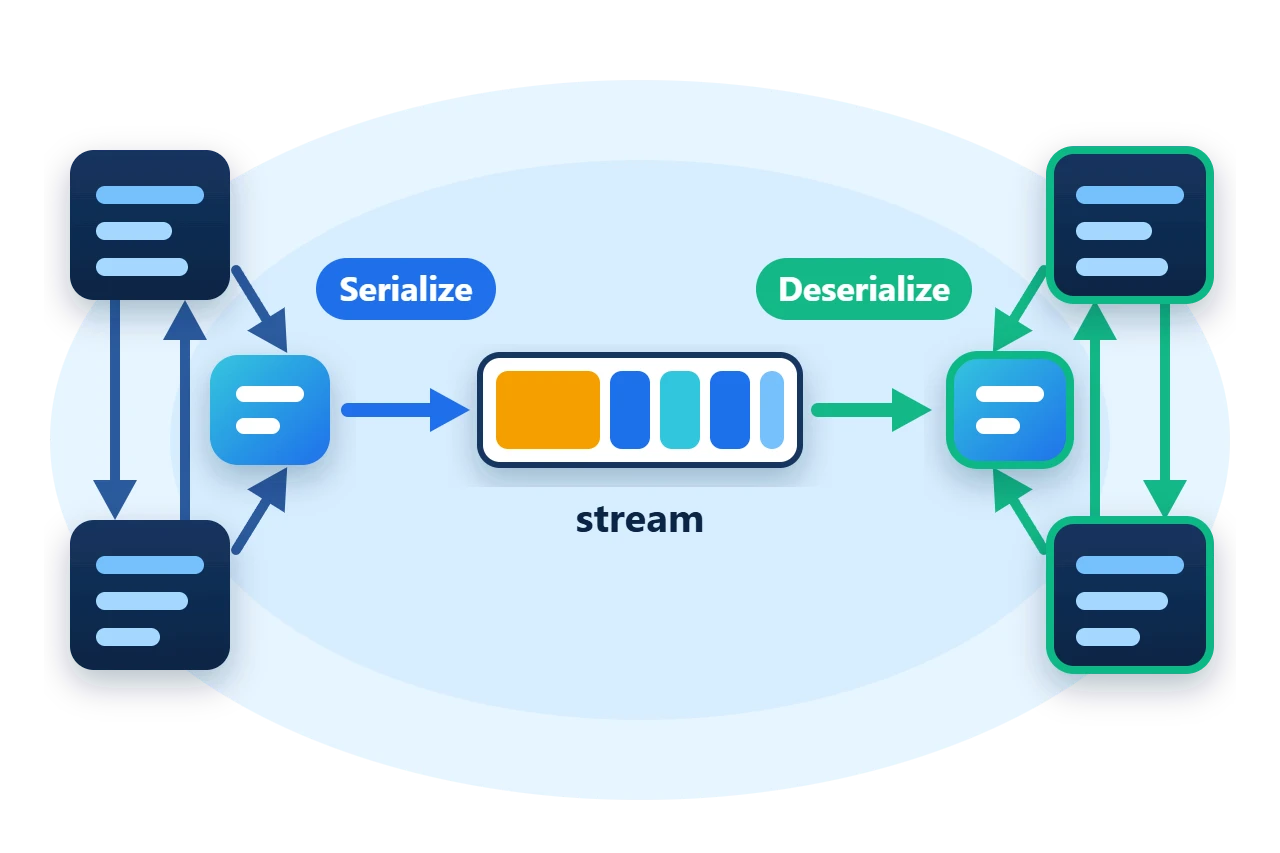
1. A first look
BinarySerializer ships in the Sphere10.Framework package. Create one, write an object to a stream and read it back.
var serializer = new BinarySerializer();

// A plain class through a stream, with the two calls BinaryFormatter had
var lamp = new Item { Name = "Lamp", Quantity = 3, Price = 24.50m, Added = new DateTime(2026, 11, 10) };
using var stream = new MemoryStream();
serializer.Serialize(stream, lamp);
stream.Position = 0;
var copy = (Item)serializer.Deserialize(stream);
Serialize(Stream, object) and Deserialize(Stream) take the same arguments as the BinaryFormatter methods of those names, so existing call sites change only in the type they construct. Item is an ordinary class that carries nothing for the serializer's benefit.
public class Item {
	public string Name { get; set; }
	public int Quantity { get; set; }
	public decimal Price { get; set; }
	public DateTime Added { get; set; }
}
2. How BinarySerializer works
BinarySerializer is an IItemSerializer<object> built from two other Framework serializers. A PolymorphicSerializer<object> looks at the run-time type of each object and writes that type's code before the object, and a ReferenceSerializer<object> around it writes a one-byte marker for null, a new object or an object already written.
Serializers are looked up in a SerializerFactory, which is SerializerFactory.Default unless you pass another to the constructor. The default factory knows primitives, strings, dates, arrays and the common collections, but it has never heard of Item. For each call, BinarySerializer therefore gives the SerializationContext a private copy of the factory, called the ephemeral factory. When a type has no serializer, SerializerBuilder.FactoryAssemble composes one from the type's members and registers it in that copy. The types registered this way are written to the stream ahead of the object, and deserialization rebuilds the same registrations before it reads the object.
The ephemeral factory lives only for one call, so nothing learned about a type carries over and one BinarySerializer instance can be reused for any number of calls.
Diagram source
---
config:
  sequence:
    actorMargin: 8
    width: 96
    mirrorActors: false
    messageMargin: 28
    noteMargin: 8
---
sequenceDiagram
    participant App
    participant BS as Serializer
    participant Ctx as Context
    App->>BS: Serialize
    BS->>Ctx: SetEphemeralFactory
    Note over BS,Ctx: write object,<br/>assemble types
    Ctx-->>BS: new registrations
    BS-->>App: registrations, object
    BS->>Ctx: ClearEphemeralFactory
3. What a type needs
A type needs no attribute and no interface. The composed serializer covers a type's public instance properties and fields that can be both read and written, base-class members first, and it creates instances through the public parameterless constructor. Mark a member [Transient] to leave it out.
This is the largest difference from BinaryFormatter, which captured every field including private ones. Private fields, read-only properties and properties with a private setter are not written, and they hold whatever the constructor gave them after deserialization.
4. Round-trip an object graph
The sample builds two shelves that point at each other and share one item, with a derived item in a list typed as the base class.
var milk = new PerishableItem { Name = "Milk", Quantity = 12, Price = 1.80m, BestBefore = new DateTime(2026, 11, 24) };
var front = new Shelf { Label = "Front", Items = { lamp, milk } };
var back = new Shelf { Label = "Back", Items = { lamp } };
front.Next = back;
back.Next = front;

var bytes = serializer.SerializeBytesLE(front);
var restored = (Shelf)serializer.DeserializeBytesLE(bytes);
SerializeBytesLE and DeserializeBytesLE are the byte-array extension methods every IItemSerializer<TItem> has. The copy has the same shape as the original, which the sample checks.
Require(restored.Items[1] is PerishableItem { BestBefore.Day: 24 }, "Derived type was not restored.");
Require(ReferenceEquals(restored.Items[0], restored.Next.Items[0]), "Shared item became two objects.");
Require(ReferenceEquals(restored.Next.Next, restored), "Cycle was not restored.");
The derived item survives because members of a non-sealed type are serialized polymorphically, so no [KnownSubType] declaration is needed here. The shared item and the cycle survive because the second time an object is met within one call, the reference serializer writes its index in the context instead of the object.
5. What is written to the stream
Each call writes the type registrations first and the object second. The 222 bytes written for lamp divide as follows.
The registrations hold the assembly's full name and each composed type's full name, as UTF-16 text, with the type code assigned to each. Member names are not written, and members are identified by their order. Every call is self-contained, so several objects can follow one another in a stream and be read back in the same order, including null and boxed values.
Diagram source
---
config:
  packet:
    bitsPerRow: 16
    bitWidth: 22
    showBits: false
---
packet-beta
0-15: "Type registrations, 186 bytes"
16-23: "Reference, 1 byte"
24-31: "Type code, 1 byte"
32-39: "Name, 6 bytes"
40-47: "Quantity, 4 bytes"
48-55: "Price, 16 bytes"
56-63: "Added, 8 bytes"
serializer.Serialize(stream, "inventory");
serializer.Serialize(stream, 42);
serializer.Serialize(stream, null);
serializer.Serialize(stream, milk);
Each of those calls repeats the registrations it needed. Serializing one list in a single call writes them once, which is far smaller than serializing its items one by one.
6. Register types up front
Types already registered in the factory passed to the constructor are not described in the stream.
var factory = new SerializerFactory(SerializerFactory.Default);
factory.RegisterAutoBuild<Shelf>();
factory.RegisterAutoBuild<PerishableItem>();
var compact = new BinarySerializer(factory);
var compactBytes = compact.SerializeBytesLE(front);
The two-shelf graph takes 407 bytes with the default factory and 111 bytes with this one. The reader must construct its factory with the same registrations in the same order, because type codes are assigned in registration order. A custom factory is also where you register a hand-written serializer for a type the automatic composition cannot handle.
7. Limits and differences from BinaryFormatter
BinarySerializer has no allow-list of types, so read only data that your own code wrote.
-
The format is its own. It cannot read data written by
BinaryFormatter, andBinaryFormatterdata must be converted while the old code can still read it. -
Public state only.
[Serializable],[NonSerialized],ISerializableand the deserialization callbacks play no part. -
A public parameterless constructor is required. A class without one, which includes positional records and anonymous types, is rejected with an
InvalidOperationException. -
Collections keep their items but not their comparers. Lists, arrays, dictionaries, sets, queues, stacks, linked lists and the sorted, observable and concurrent collections all round-trip, as do user-defined structs. A set or dictionary built with a custom comparer comes back with the default one. Multi-dimensional arrays and classes that derive from a collection are not supported.
-
Data is tied to the types. A renamed or moved type cannot be found, and adding, removing or reordering public members changes the layout. No versioning is built in.
-
Graphs are walked recursively. A linked chain thousands of objects deep is refused with an
InsufficientExecutionStackException, where a flat list of the same objects is not.
8. Get the package and run the sample
Add the Sphere10.Framework package to a .NET project. The sample targets .NET 10.
dotnet add package Sphere10.Framework --version 3.1.3
The complete MIT-licensed sample contains every file shown in this article. Extract it and run it.
dotnet run -c Release
The program checks each round trip and throws if a check fails.
Plain class: 222 bytes, round trip passed
Graph: 407 bytes, derived type, shared item and cycle restored
Four objects in one stream: passed
Graph with registered types: 111 bytes
Type without a parameterless constructor: rejected
The Serialization guide lists every built-in serializer, and the BinarySerializer source is short enough to read in full.
The Sphere10 Framework overview describes the rest of the toolkit.
Author: Herman Schoenfeld
