
How to Sign and Verify Messages with ECDSA and Schnorr
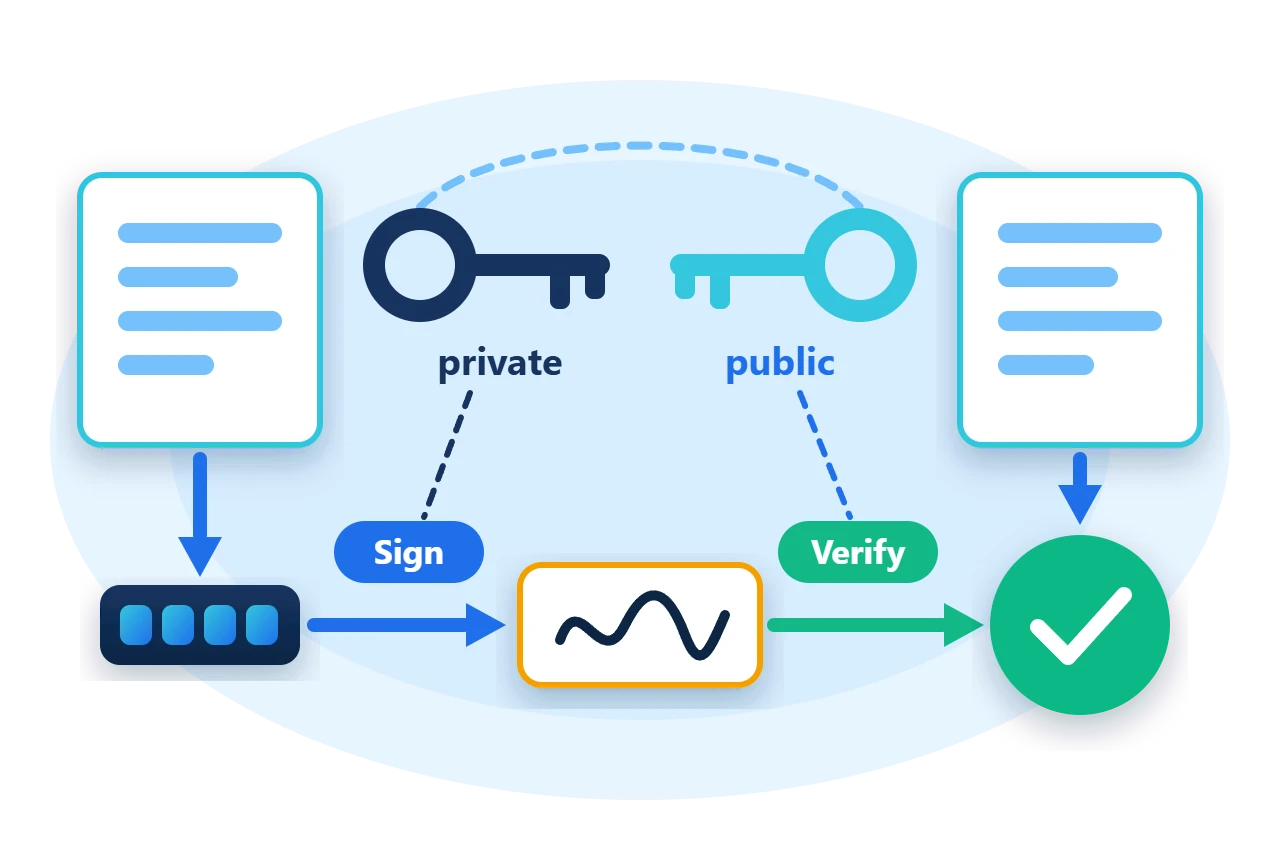
A digital signature lets a receiver check that a message came from the holder of a private key and has not been changed. Using one in .NET usually means committing to a single algorithm's classes, with its own key types, encodings and signing calls, which makes it hard to support a second scheme or to let stored data name the scheme that signed it.
Sphere10 Framework defines one contract for signature schemes and a registry that selects a scheme by an enumeration value. This article signs and verifies with ECDSA and BIP-340 Schnorr from the Sphere10.Framework.CryptoEx package, first by constructing a scheme directly, then through the Signers registry, and finally by signing a serialized object.
1. Sign with ECDSA
Construct ECDSA with the curve, generate a private key and derive its public key.
var ecdsa = new ECDSA(ECDSAKeyType.SECP256K1);
var privateKey = ecdsa.GeneratePrivateKey();
var publicKey = ecdsa.DerivePublicKey(privateKey);
var signature = ecdsa.Sign(privateKey, message);
Require(ecdsa.Verify(signature, message, publicKey), "A genuine ECDSA signature should verify.");
Require(!ecdsa.Verify(signature, tampered, publicKey), "A changed message should not verify.");
Sign and Verify take the whole message and hash it with the scheme's digest function, which is SHA2-256 unless the constructor is given another CHF value. ECDSAKeyType offers SECP256K1, SECP384R1, SECP521R1 and SECT283K1, and every curve has the same API.
Three properties of this implementation are worth knowing.
-
Signatures are deterministic. Nonces are derived as RFC 6979 describes, so signing the same message with the same key gives the same bytes.
-
Public keys are compressed points, 33 bytes on secp256k1. Uncompressed keys are rejected.
-
Verification rejects high-S signatures, so a signature cannot be altered into a second valid form.
Keys travel as raw bytes. RawBytes on a key gives the bytes to store or send, and TryParsePublicKey and TryParsePrivateKey turn them back into keys after validating them.
Require(ecdsa.TryParsePublicKey(publicKey.RawBytes, out var parsedPublicKey), "Stored public key bytes should parse.");
Require(ecdsa.Verify(signature, message, parsedPublicKey), "A parsed public key should verify.");
2. How the signing types are organised
Every scheme implements IDigitalSignatureScheme. The contract covers key creation and parsing, public-key derivation, digest calculation, signing a digest and verifying one. ECDSA and Schnorr are two implementations, and Signers is a static registry that creates a scheme for a DSS value such as DSS.ECDSA_SECP256k1.
Diagram source
classDiagram
    direction TB
    class Signers {
      +Create(dss)
      +Sign()
      +Verify()
    }
    class IDigitalSignatureScheme {
      +DerivePublicKey()
      +CalculateMessageDigest()
      +SignDigest()
      +VerifyDigest()
    }
    class ECDSA
    class Schnorr
    Signers ..> IDigitalSignatureScheme
    IDigitalSignatureScheme <|.. ECDSA
    IDigitalSignatureScheme <|.. Schnorr
Signing is always two steps, whichever scheme is used. The message is reduced to a digest, and the digest is signed. The verifier repeats the first step and checks the signature against the digest and the public key.
Diagram source
---
config:
  sequence:
    actorMargin: 8
    width: 96
    mirrorActors: false
    messageMargin: 28
    noteMargin: 8
---
sequenceDiagram
    participant S as Signer
    participant V as Verifier
    Note over S: CalculateMessageDigest
    Note over S: SignDigest(private key)
    S->>V: message, signature
    Note over V: CalculateMessageDigest
    Note over V: VerifyDigest(public key)
3. Sign with Schnorr
Schnorr implements BIP-340 on secp256k1 and works on a 32-byte digest.
var schnorr = new Schnorr(ECDSAKeyType.SECP256K1);
var schnorrKey = schnorr.GeneratePrivateKey();
var schnorrPublicKey = schnorr.DerivePublicKey(schnorrKey);
var digest = schnorr.CalculateMessageDigest(message);
var schnorrSignature = schnorr.SignDigest(schnorrKey, digest);
Require(schnorr.VerifyDigest(schnorrSignature, digest, schnorrPublicKey.RawBytes), "A genuine Schnorr signature should verify.");
A Schnorr public key is a 32-byte x-only key and a signature is 64 bytes. SignDigest mixes fresh random bytes into each signature, as BIP-340 recommends, so two signatures of the same digest differ and both verify. SignDigestWithAuxRandomData takes those bytes from the caller when the result must be reproducible.
4. Select the scheme through Signers
Code that should not depend on one scheme uses the registry. The DSS value can come from configuration or from the data being verified.
ModuleConfiguration.InitializeInternal();
foreach (var dss in new[] { DSS.ECDSA_SECP256k1, DSS.ECDSA_SECP384R1, DSS.SCHNORR_SECP256k1 }) {
	var key = Signers.GeneratePrivateKey(dss);
	var registryPublicKey = Signers.DerivePublicKey(dss, key, 0UL);
	var registrySignature = Signers.Sign(dss, key, message, 0UL);
	Require(Signers.Verify(dss, registrySignature, message, registryPublicKey), $"{dss} should verify.");
	Require(!Signers.Verify(dss, registrySignature, tampered, registryPublicKey), $"{dss} should reject a changed message.");
	Console.WriteLine($"Signers {dss}: passed");
}
The ECDSA and Schnorr entries exist in Signers only after the CryptoEx module has registered them. ModuleConfiguration.InitializeInternal() does that in a program without an application host, and an application built on Sphere10.Framework.Application adds the module at startup with AddModule<Sphere10.Framework.CryptoEx.ModuleConfiguration>().
The last argument of DerivePublicKey and Sign is the signer nonce. ECDSA and Schnorr are stateless and ignore it. The Framework's hash-based schemes use it to select a one-time key, which is why the contract carries it.
Signers.Create(dss) returns the scheme object. Each static Signers method creates a scheme for the call, so hold one from Create when signing or verifying in a loop.
5. Sign a serialized object
ItemSigner<TItem> signs an object by serializing it, hashing the bytes and signing the digest, so the three steps cannot drift apart between signer and verifier.
var signer = new ItemSigner<Transfer>(SerializerBuilder.FactoryAssemble<Transfer>(), CHF.SHA2_256, DSS.ECDSA_SECP256k1);
var transfer = new Transfer { Account = 7, Units = 10 };
var signerKey = Signers.GeneratePrivateKey(DSS.ECDSA_SECP256k1);
var signerPublicKey = Signers.DerivePublicKey(DSS.ECDSA_SECP256k1, signerKey, 0UL);
var itemSignature = signer.Sign(transfer, signerKey, 0UL);
Require(signer.Verify(transfer, signerPublicKey, itemSignature), "The signed object should verify.");
transfer.Units = 99;
Require(!signer.Verify(transfer, signerPublicKey, itemSignature), "A changed object should not verify.");
Both sides must construct the signer with the same serializer, hash function and scheme. SignedItem<T> pairs an item with its signature when the two are stored or sent together.
6. Limits to plan for
-
A valid signature proves possession of a key, not identity. The verifier must already trust that the public key belongs to the expected signer.
-
Schnorr is secp256k1 only. The other
DSS.SCHNORR_*values have no registered scheme. -
Private keys and seeds are secrets.
GeneratePrivateKey(seed)is deterministic from its seed, so the seed needs the same protection as the key. -
These schemes are not post-quantum. The core package's
DSS.PQC_WAMSschemes are hash-based alternatives with stateful keys.
7. Get the package and run the sample
The contracts and the registry are in Sphere10.Framework. ECDSA and Schnorr are in Sphere10.Framework.CryptoEx. The sample targets .NET 10.
dotnet new console --framework net10.0 --name ArticleSample
cd ArticleSample
dotnet add package Sphere10.Framework --version 3.1.3
dotnet add package Sphere10.Framework.CryptoEx --version 3.1.3
The complete MIT-licensed sample contains the program shown above. Extract the download and run it.
dotnet run -c Release
Each line is a check that throws on failure.
ECDSA secp256k1: 32-byte private key, 33-byte public key
ECDSA accepts the message and rejects a changed one: passed
Schnorr secp256k1: 32-byte public key, 64-byte signature: passed
Signers SCHNORR_SECP256k1: passed
ItemSigner accepts the object and rejects a changed one: passed
The
CryptoEx guide
documents ECDSA, Schnorr and MuSig multi-signatures, and the
Cryptography guide
documents Signers, DSS and the scheme contract.
The Sphere10 Framework overview describes the rest of the toolkit.
Author: Herman Schoenfeld
