How to Hash Data with One API across Algorithms
Hash algorithms arrive from different places. Some are in the .NET base library, others come from third-party packages, and each has its own class, lifetime rules and way of hashing in pieces. Code that must support several algorithms, or let a file format name the one it uses, ends up with a switch statement and a set of adapters.
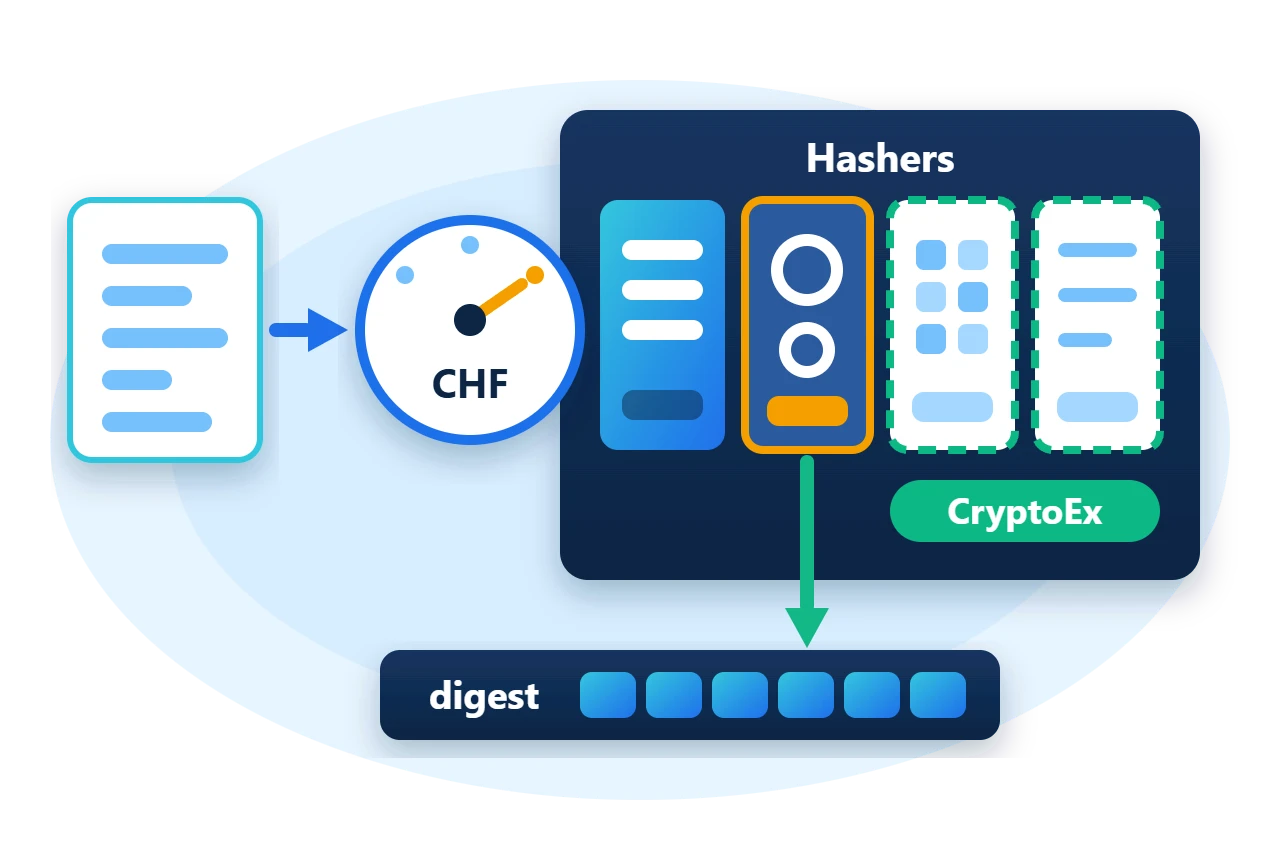
Sphere10 Framework puts every algorithm behind one static class and one enumeration. Hashers hashes with the algorithm named by a CHF value, pools the underlying hasher objects and is safe to call from several threads. This article covers the one-call methods, incremental hashing, combining digests, hashing serialized objects, and how further algorithms are registered.
1. Hash in one call
Hashers.Hash takes the algorithm and the bytes and returns a new digest array.
var sha256 = Hashers.Hash(CHF.SHA2_256, data);
A second overload writes into a buffer supplied by the caller, which avoids the allocation. GetDigestSizeBytes gives the length to reserve.
Span<byte> buffer = stackalloc byte[Hashers.GetDigestSizeBytes(CHF.SHA2_512)];
Hashers.Hash(CHF.SHA2_512, data, buffer);
Each call borrows a hasher from the pool for that algorithm and returns it afterwards, so no hasher object is created per call once the pool is warm.
2. How the registry is organised
CHF is an enumeration with one value per algorithm, such as CHF.SHA2_256 or CHF.SHA3_256. Hashers holds a registration for each value that has an implementation, and a pool of reusable IHashFunction instances behind each registration.
The core package registers a small set. The Sphere10.Framework.CryptoEx package registers the rest when its module is initialised.
Because the value is an ordinary enumeration member, it can be stored in a file header or a configuration setting, and the code that hashes does not change when the value does.
Diagram source
block-beta
    columns 2
    A["Hashers.Hash(CHF, bytes)"]:2
    B["CHF registry and hasher pools"]:2
    C["Core package"] D["CryptoEx module"]
    E["SHA-2, SHA-1, Blake2b"] F["SHA-3, RIPEMD, others"]
3. Hash in pieces
When the input arrives in parts, borrow a hasher for the duration of the work. EnterBorrowHasherScope returns a scope and hands out an IHashFunction through its out parameter.
byte[] incremental;
using (Hashers.EnterBorrowHasherScope(CHF.SHA2_256, out var hasher)) {
	hasher.Transform(data.AsSpan(0, 10));
	hasher.Transform(data.AsSpan(10));
	incremental = hasher.GetResult();
}
Transform adds bytes to the running state and GetResult finishes the digest. Disposing the scope returns the hasher to its pool.
Two rules follow from the pooling. Dispose the scope exactly once, with a plain using as above, and do not use the hasher after the scope ends. A borrowed IHashFunction holds state between Transform and GetResult, so it must stay on one thread.
Diagram source
---
config:
  sequence:
    actorMargin: 8
    width: 96
    mirrorActors: false
    messageMargin: 28
    noteMargin: 8
---
sequenceDiagram
    participant C as Caller
    participant H as Hashers
    participant F as IHashFunction
    C->>H: EnterBorrowHasherScope
    H-->>C: scope, hasher
    C->>F: Transform(part)
    C->>F: Transform(part)
    C->>F: GetResult()
    C->>H: scope.Dispose()
    Note over H: back in pool
4. Combine and chain digests
Three helpers cover the common ways digests are combined.
var joined = Hashers.JoinHash(CHF.SHA2_256, sha256, incremental);
var twice = Hashers.Iterate(CHF.SHA2_256, data, 2);
-
JoinHashhashes the concatenation of its inputs. It is the node operation of a Merkle tree. -
Iterateapplies the hash to its own output the given number of times. -
Aggregatefolds a sequence of digests into one by repeatedJoinHash.
5. Register further algorithms
A CHF value with no registration fails at first use with a "No implementation" error. The core package registers SHA2-256, SHA2-384, SHA2-512, SHA1-160 and the Blake2b sizes. The other values need the CryptoEx module.
Sphere10.Framework.CryptoEx.ModuleConfiguration.InitializeInternal();
foreach (var algorithm in new[] { CHF.SHA3_256, CHF.Keccak_256, CHF.RIPEMD_160 }) {
	var digest = Hashers.Hash(algorithm, data);
	Require(digest.Length == Hashers.GetDigestSizeBytes(algorithm), "Digest length differs from the registered size.");
	Console.WriteLine($"{algorithm}: {digest.ToHexString(true)}");
}
InitializeInternal() is the direct call for a program that has no application host. An application built on Sphere10.Framework.Application adds the module at startup with AddModule<Sphere10.Framework.CryptoEx.ModuleConfiguration>() instead. The module covers SHA-3, Keccak, RIPEMD, Blake2s, Whirlpool, Tiger and the other CHF values, mostly through the bundled HashLib4CSharp library.
Hashers.Register(CHF, Func<IHashFunction>) is the same mechanism the module uses. Registering replaces the pool for that value, so do it once during startup and not while other threads are hashing.
6. Hash a serialized object
An object is hashed through its serializer. Hashers.Hash has an overload that serializes the item and hashes the bytes in one step, and ItemDigestor<TItem> packages the same operation as an IItemHasher<TItem> for collections and Merkle trees that hash their items.
var serializer = SerializerBuilder.FactoryAssemble<Record>();
var record = new Record { Id = 1, Name = "first" };
var itemDigest = Hashers.Hash(CHF.SHA2_256, record, serializer);
var digestor = new ItemDigestor<Record>(CHF.SHA2_256, serializer);
The digest of an object is therefore only as stable as its serializer. Two programs agree on an object's digest when they use the same serializer layout and byte order.
7. Limits to plan for
-
Registration is process-wide.
Hashersis static, so a registration made anywhere affects all callers. -
Not every value is safe for every purpose. MD2, MD4, MD5, SHA-0 and SHA-1 are broken for collision resistance. Use SHA-2, SHA-3 or Blake2 for commitments and signatures.
-
The API is synchronous. There are no asynchronous
Hashersmethods. -
Some modes have no
CHFvalue. Extendable-output functions, keyed MACs and password hashes such as Argon2 are used through HashLib4CSharp directly.
8. Get the package and run the sample
Hashers and CHF are in the Sphere10.Framework NuGet package. Add Sphere10.Framework.CryptoEx for the algorithms beyond the core set. The sample targets .NET 10.
dotnet new console --framework net10.0 --name ArticleSample
cd ArticleSample
dotnet add package Sphere10.Framework --version 3.1.3
dotnet add package Sphere10.Framework.CryptoEx --version 3.1.3
The complete MIT-licensed sample contains the program shown above. Extract the download and run it.
dotnet run -c Release
The program checks SHA2-256 against its published test vector, compares the incremental and one-call digests, and hashes with three module-registered algorithms.
SHA2_256: d7a8fbb307d7809469ca9abcb0082e4f8d5651e46d3cdb762d02d0bf37c9e592
Incremental digest equals one-call digest: passed
SHA3_256 before the CryptoEx module: not registered
SHA3_256: 69070dda01975c8c120c3aada1b282394e7f032fa9cf32f4cb2259a0897dfc04
Object digest equals digest of its serialized bytes: passed
The
Cryptography guide
documents Hashers and CHF, and the
CryptoEx guide
lists the algorithms its module registers.
The Sphere10 Framework overview describes the rest of the toolkit.
Author: Herman Schoenfeld
