How to Cache Whole Datasets and Sessions in C#
A cache that fetches one value per key does not fit every source. Some data arrives only as a complete set, such as a configuration table or a list of reference codes, and asking for it one key at a time would repeat the same query. Other entries have nothing to fetch at all. A session exists because a caller created it, and it should disappear when nobody has touched it for a while.
Sphere10 Framework has a cache for each of these shapes, built on the same engine as its per-key cache. This article covers BulkFetchActionCache, PreloadedCache and SessionCache, and then shows how PooledCacheReaper puts several caches under one capacity budget.
1. Load a whole snapshot with one fetch
BulkFetchActionCache<TKey, TValue> takes a delegate that returns the complete key and value set. The first read calls it once, and every key is then served from that snapshot.
var loads = 0;
using var cache = new BulkFetchActionCache<string, int>(
	() => {
		loads++;
		return new Dictionary<string, int> { ["a"] = 1, ["b"] = 2, ["c"] = 3 };
	},
	expirationStrategy: ExpirationPolicy.SinceFetchedTime,
	expirationDuration: TimeSpan.FromMilliseconds(150));
The snapshot is replaced as a unit. A read reloads it when the requested key is missing, expired or invalidated, and ForceRefresh() reloads it immediately.
Thread.Sleep(300);
Require(cache["a"] == 1 && loads == 2, "An expired snapshot was not reloaded.");

cache.ForceRefresh();
Require(loads == 3, "ForceRefresh did not reload the snapshot.");
Two constructor arguments change when a reload happens.
-
expirationStrategyandexpirationDurationgive the snapshot a lifetime, as they do for a per-key cache. -
fetchOnceOnly: trueloads once and then serves that snapshot untilForceRefresh()is called, ignoring expiry and invalidation.
A bulk cache holds zero-sized entries, never reaps and rejects Remove, because removing one entry would leave a partial snapshot.
2. How the cache types relate
All of the caches derive from CacheBase<TKey, TValue>, which supplies synchronized storage, expiration, events and the ICache<TKey, TValue> contract. The subclasses differ only in where values come from.
PreloadedCache<TKey, TValue> is a second subclass of BulkFetchCacheBase. Because every type implements the same contract, code that reads through ICache<TKey, TValue> does not need to know which one it was given.
Diagram source
classDiagram
    direction TB
    class CacheBase~TKey, TValue~ {
      +Get(key)
      +Set(key, value)
      +Invalidate(key)
      +Purge()
    }
    class BulkFetchCacheBase {
      +ForceRefresh()
      #BulkFetch()
    }
    class BulkFetchActionCache
    class SessionCache {
      +KeepAlive(id)
      +Cleanup()
    }
    CacheBase <|-- BulkFetchCacheBase
    CacheBase <|-- SessionCache
    BulkFetchCacheBase <|-- BulkFetchActionCache
3. Serve a fixed dictionary
PreloadedCache<TKey, TValue> is the simplest case. The dictionary passed to the constructor is the whole source, and an optional comparer controls key matching.
var values = new Dictionary<string, int> { ["alpha"] = 1, ["beta"] = 2 };
using var cache = new PreloadedCache<string, int>(values, StringComparer.OrdinalIgnoreCase);

Require(cache["ALPHA"] == 1 && cache["Beta"] == 2, "The comparer was not applied.");
It is useful when a component expects an ICache<TKey, TValue> and the data is already in memory, for example in tests or for built-in defaults.
4. Keep sessions alive until they go idle
SessionCache<K, T> has no fetch. Callers add entries with Set, and each entry expires when it has not been accessed for the timeout passed to the constructor. KeepAlive counts as an access.
using var sessions = new SessionCache<string, string>(TimeSpan.FromMilliseconds(400));
sessions.Set("kept", "first user");
sessions.Set("idle", "second user");

for (var i = 0; i < 4; i++) {
	Thread.Sleep(200);
	sessions.KeepAlive("kept");
}
After this loop the first session is still readable, although twice the timeout has passed. Reading the second one throws, because an expired session has nothing to fetch.
var idleExpired = false;
try {
	_ = sessions["idle"];
} catch (Exception) {
	idleExpired = true;
}
The cache also runs a background job, on the Framework scheduler, that removes expired sessions at each timeout interval, and Cleanup() does the same on demand. Dispose the cache to stop that job.
5. Share one capacity budget between caches
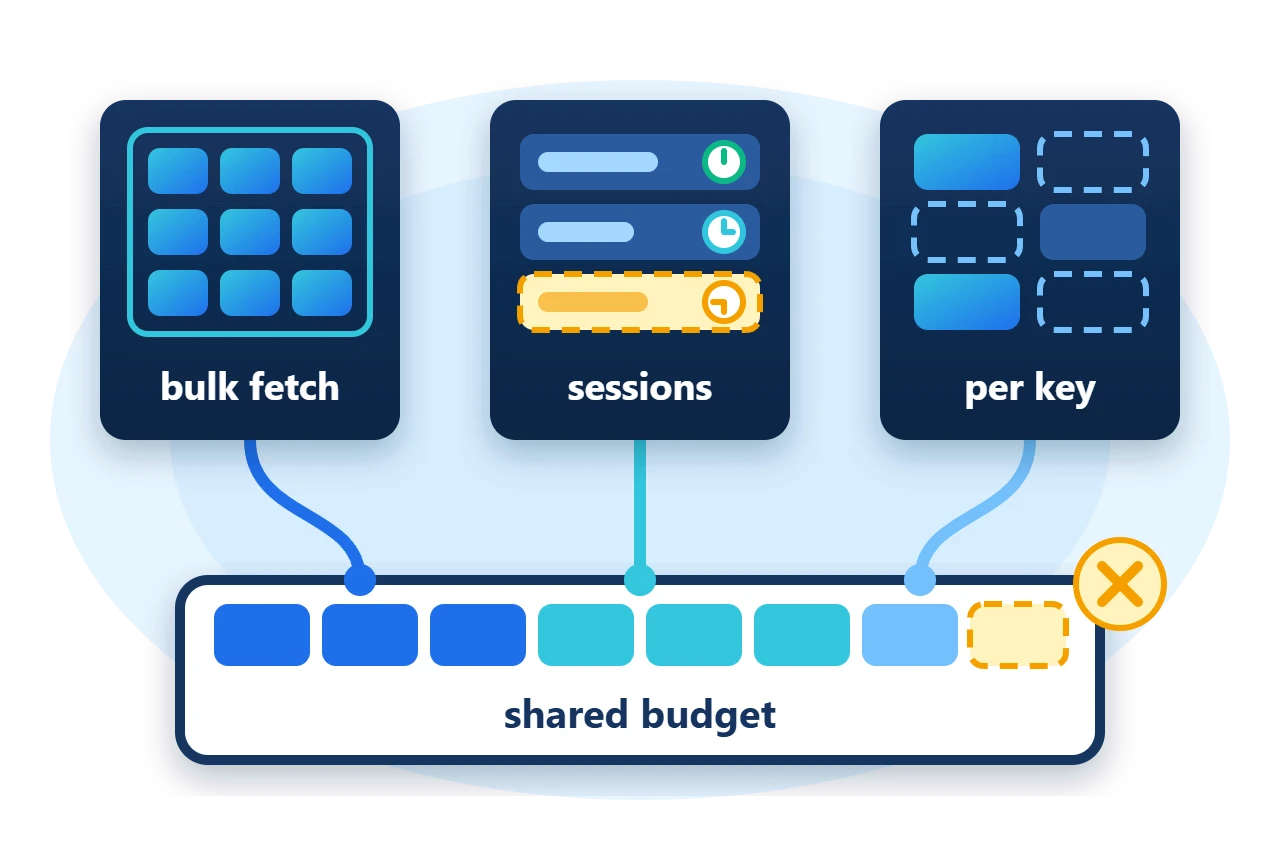
A bounded cache normally owns its budget. When several caches hold different kinds of values but should share one memory budget, give them the same PooledCacheReaper.
var reaper = new PooledCacheReaper(8);
using var names = new ActionCache<int, string>(
	key => $"name-{key}", value => 1,
	CacheReapPolicy.LongestIdle, maxCapacity: 8, reaper: reaper);
using var codes = new ActionCache<string, int>(
	key => key.Length, value => 1,
	CacheReapPolicy.Oldest, maxCapacity: 8, reaper: reaper);
Each member registers with the reaper as it is constructed and declares the reaper's capacity in the same estimator units. When a member needs room, the reaper looks at the combined size of all members.
The sample admits six entries to each cache against a pool of eight units. The second cache is the requester once the pool is full, so it gives up its own entries first and the two finish with six and two units.
Diagram source
---
config:
  sequence:
    actorMargin: 8
    width: 96
    mirrorActors: false
    messageMargin: 28
    noteMargin: 8
---
sequenceDiagram
    participant R as Requester
    participant P as Reaper
    participant O as Others
    R->>P: needs capacity
    Note over P: over budget
    P->>R: Reap first
    P->>O: Reap next
    P-->>R: capacity released
6. Ownership and limits
-
Values are borrowed. No cache disposes its values when an entry is removed or the cache is disposed.
-
The reaper borrows its members. It does not dispose them. Dispose each member cache, and keep the reaper alive for as long as any member is in use.
-
Members share units, not types. A pooled budget is meaningful only when every member's size estimator uses the same unit.
-
Session timing is approximate. Expiry is evaluated when a session is read or when the cleanup job runs, so an expired session can stay in memory until the next cleanup.
7. Get the package and run the sample
The caches are in the Sphere10.Framework namespace of the Sphere10.Framework NuGet package. The sample targets .NET 10.
dotnet new console --framework net10.0 --name ArticleSample
cd ArticleSample
dotnet add package Sphere10.Framework --version 3.1.3
The complete MIT-licensed sample contains the program shown in this article. Extract the download over the generated project and run it.
dotnet run -c Release
Each line is printed after the program has checked the behaviour it describes.
Bulk fetch: 3 keys from 1 load, 3 loads after expiry and ForceRefresh
Preloaded: 2 entries, keys matched without regard to case
Sessions: the session kept alive survived 800 ms, the idle one expired after 400 ms
Shared budget of 8: 6 + 2 units held after 12 admissions
The
cache guide
covers the per-key ActionCache, the policies and the reaper contract in full.
The Sphere10 Framework overview describes the rest of the toolkit.
Author: Herman Schoenfeld
