How to Cache Expensive Lookups with Expiry and Capacity Limits in C#
A dictionary in front of a slow lookup is the easy part of a cache. The work is in everything that follows. The cache has to decide when an entry is too old, notice that its source changed, keep the total size under a budget, choose which entries to drop, and do all of it safely from several threads.
ActionCache<TKey, TValue> in Sphere10 Framework packages those decisions as constructor policies around a fetch delegate. This article shows how the cache fetches on a miss, how expiration and staleness replace entries, how capacity and batch reaping work, and what the cache does and does not own.
1. Fetch on a miss
The only required argument is the delegate that produces a value for a key.
var fetches = 0;
using var cache = new ActionCache<int, string>(key => {
	fetches++;
	return $"value-{key}";
});

var first = cache[7];
var second = cache[7];
The indexer fetches once and then returns the stored value, so fetches is 1 after both reads. Four members cover the rest of the everyday contract.
var entry = cache.Get(7);
cache.Invalidate(7);
var third = cache[7];
cache.Set(8, "supplied");
-
Get(key)returns the entry as aCachedItem<TValue>, which carries the value together withFetchedOn,LastAccessedOn,AccessedCount,Sizeand theCanPurgepin. -
Invalidate(key)marks an entry as due, so the next read fetches it again. -
Set(key, value)stores a value the caller already has, without calling the delegate. -
Remove(key)deletes one entry, andPurge()deletes them all.
The sequence of one read looks like this.
Diagram source
---
config:
  sequence:
    actorMargin: 8
    width: 96
    mirrorActors: false
    messageMargin: 28
    noteMargin: 8
---
sequenceDiagram
    participant A as Caller
    participant C as ActionCache
    participant F as Fetcher
    A->>C: cache[key]
    Note over C: hit, return stored
    C->>F: miss, fetch(key)
    F-->>C: value
    Note over C: reap if over capacity
    C-->>A: value
2. How a cached entry lives
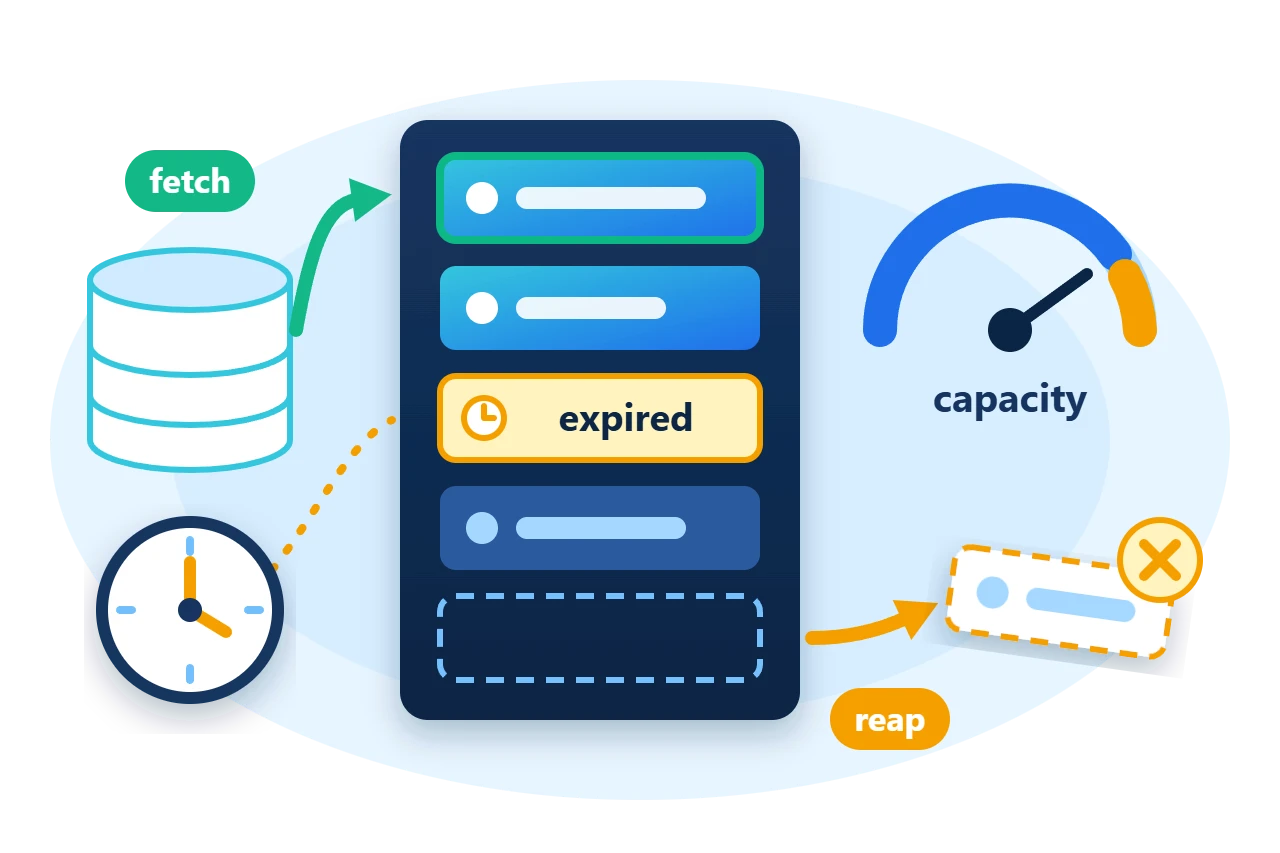
Reading a key that is not stored calls the fetch delegate, stores the result and returns it. Later reads return the stored value. An entry becomes due for replacement when its expiration window passes, when the application invalidates it, or when a staleness check reports that the source has changed. The next read of a due entry fetches again.
Entries also leave the cache without being replaced. The cache evicts them when it needs room for a new value, and the application can remove them directly.
Every operation is synchronized, so one cache instance can be shared between threads.
Diagram source
stateDiagram-v2
    direction TB
    [*] --> Cached: miss, fetch
    Cached --> Due: expired, invalidated
    Cached --> Due: found stale
    Due --> Cached: next read
    Cached --> Removed: reaped or Remove
    Due --> Removed: reaped
    Removed --> [*]: ItemRemoved
3. Bound the cache with a capacity
A cache is bounded by three arguments that work together. sizeEstimator reports the size of a value in units of your choosing, maxCapacity is the budget in those units, and reapStrategy orders the victims when the budget is exceeded.
using var cache = new ActionCache<int, string>(
	key => $"value-{key}",
	sizeEstimator: value => 1,
	reapStrategy: CacheReapPolicy.LongestIdle,
	maxCapacity: 4,
	reapLevel: 0.5);
cache.ItemRemoved += (key, item) => removed.Add(key);
Here every value counts as one unit, so the cache holds four entries. Without an estimator every value counts as zero units and the cache never fills, so always supply one for a bounded cache.
CacheReapPolicy |
Evicts first |
LongestIdle |
The entry read least recently (LRU) |
Oldest |
The entry stored first (FIFO) |
LeastUsed |
The entry with the fewest reads |
Largest, Smallest |
By estimated size |
None |
Expired entries only |
The cache does not evict one entry for every new one. When a value has to be admitted to a full cache, it releases at least ceil(maxCapacity * reapLevel) units in one batch. Expired and invalidated entries go first, then live entries in policy order. An entry whose CanPurge is false is never reaped.
foreach (var key in new[] { 1, 2, 3, 4 })
	_ = cache[key];
_ = cache[1];
cache.Get(2).CanPurge = false;

// The cache is full. Admitting key 5 releases ceil(4 * 0.5) = 2 units first.
_ = cache[5];
Keys 1 and 2 were read most recently, so the batch removes keys 3 and 4, and ItemRemoved is raised for each. The default reapLevel is 0.25.
4. Expire entries and detect stale ones
Expiration is a time window. ExpirationPolicy.SinceFetchedTime measures it from the end of the fetch, and SinceLastAccessedTime measures it from the last read, which gives a sliding lifetime.
using var cache = new ActionCache<int, string>(
	key => $"value-{key}-{++fetches}",
	expirationStrategy: ExpirationPolicy.SinceFetchedTime,
	expirationDuration: TimeSpan.FromMilliseconds(150));
Staleness is a question the cache asks the application. With StaleValuePolicy.CheckStaleOnDemand, every read of a stored entry calls stalenessChecker, and a true result makes the cache fetch again. Use it when the source has a cheap version, timestamp or length to compare.
using var cache = new ActionCache<string, int>(
	key => {
		fetches++;
		return sourceVersion;
	},
	staleValuePolicy: StaleValuePolicy.CheckStaleOnDemand,
	stalenessChecker: (key, item) => item.Value != sourceVersion);
NullValuePolicy completes the set. It decides whether a fetched null is stored like any other value, returned without being kept, or rejected with an exception.
5. Ownership and limits
-
Values are borrowed. Removing an entry or disposing the cache does not dispose its value. A cache of disposable objects releases them in an
ItemRemovedhandler, for example by calling the entry'sDispose(). -
Capacity is in your units. The cache trusts the estimator. A value larger than the whole capacity is rejected before anything is evicted.
-
Staleness is on demand.
StaleValuePolicy.BackgroundCheckis declared but has no implementation, so nothing checks entries between reads. -
In-memory only. The cache does not persist entries or share them between processes.
For a custom cache, derive from CacheBase<TKey, TValue> and override Fetch, EstimateSize and CheckStaleness instead of passing delegates.
6. Get the package and run the sample
The caches are in the Sphere10.Framework namespace of the Sphere10.Framework NuGet package. The sample targets .NET 10.
dotnet new console --framework net10.0 --name ArticleSample
cd ArticleSample
dotnet add package Sphere10.Framework --version 3.1.3
The complete MIT-licensed sample contains the program shown in this article. Extract the download over the generated project and run it.
dotnet run -c Release
Each line is printed after the program has checked the behaviour it describes, and a failed check throws.
Fetch on miss: 3 reads, 1 fetch, then 1 more after Invalidate
Capacity 4, reap level 0.5: admitting a fifth entry evicted 3 and 4
Expiration: the entry was fetched again after its 150 ms window
Staleness: the entry was replaced when its source changed
The cache guide documents every policy, the removal hooks and the other cache types.
The Sphere10 Framework overview describes the rest of the toolkit.
Author: Herman Schoenfeld
