How to Write a Custom Network Transport with ProtocolChannel
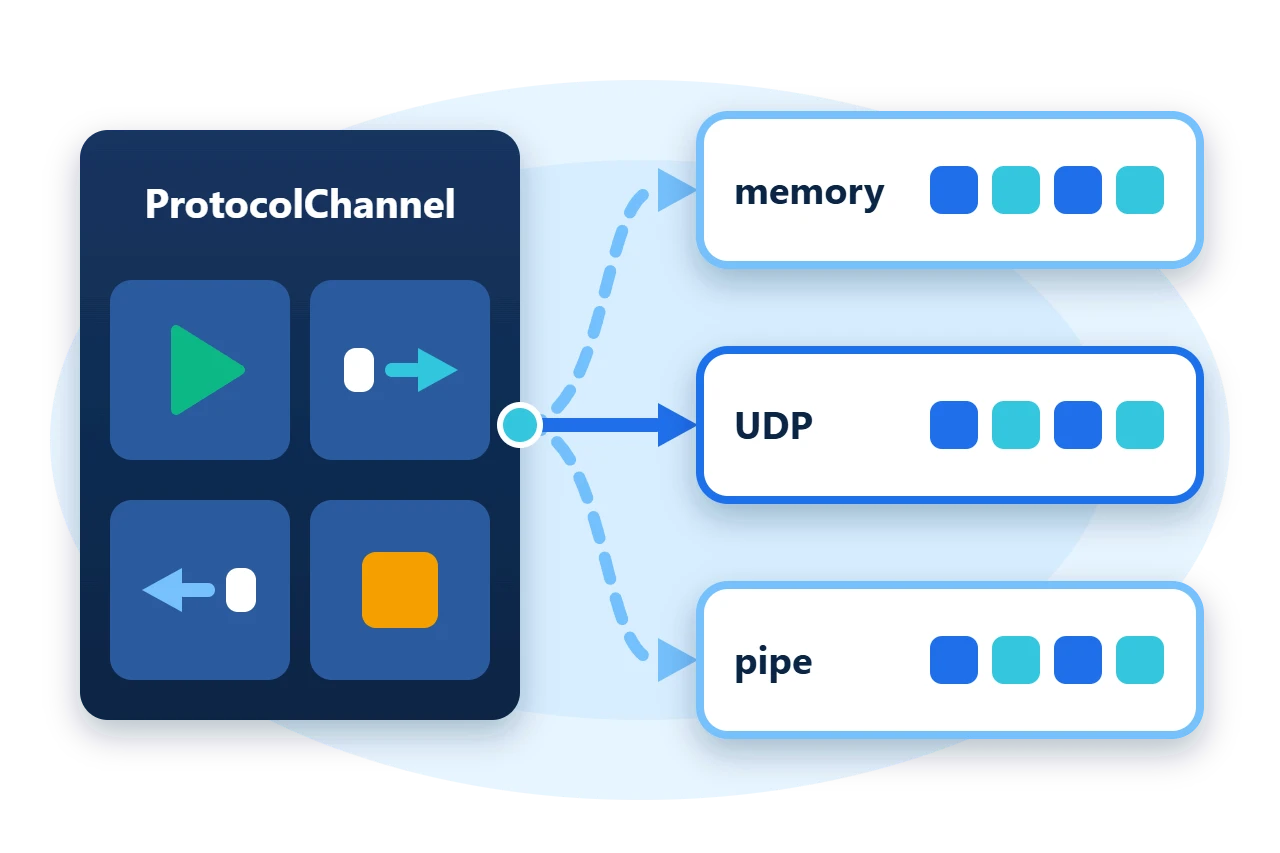
Messaging code is easier to test and to move between networks when it does not know which transport carries its bytes. That needs one contract for opening a connection, sending bytes, receiving bytes and closing, with the same state changes and events whether the bytes travel through memory, UDP, a pipe or a WebSocket.
ProtocolChannel in Sphere10 Framework is that contract. It is an abstract byte transport that owns the lifecycle and the receive loop, and leaves four small methods to each transport. This article shows how the channel is organised, implements an in-memory transport, and runs the same exchange over it and over the Framework's UDP channel.
1. Use any channel through the same code
Code written against ProtocolChannel works with every transport. The sample's exchange subscribes to the receiver, opens both ends, sends one message and waits for it to arrive.
private static async Task Exchange(string name, ProtocolChannel sender, ProtocolChannel receiver) {
	var received = new TaskCompletionSource<string>();
	receiver.ReceivedBytes += bytes => received.TrySetResult(Encoding.UTF8.GetString(bytes.Span));

	await receiver.Open();
	await sender.Open();
	SampleChecks.Require(sender.State == ProtocolChannelState.Open && receiver.State == ProtocolChannelState.Open, "Channel did not open.");

	var sent = await sender.TrySendBytes(Encoding.UTF8.GetBytes("hello"));
	var text = await received.Task.WaitAsync(Timeout);
Closing is asynchronous too. TryWaitClose returns a task that completes when the Closed event has been raised, or with false when its timeout passes first.
var closed = receiver.TryWaitClose(Timeout);
await sender.Close();
await receiver.Close();
SampleChecks.Require(await closed && receiver.State == ProtocolChannelState.Closed, "Channel did not close.");
The program runs that method twice. The first run uses the sample's in-memory pair, which a later section implements, and the second uses two UDPChannel instances bound to loopback ports, each naming the other as its remote endpoint.
var first = new IPEndPoint(IPAddress.Loopback, 47041);
var second = new IPEndPoint(IPAddress.Loopback, 47042);
using var udpClient = new UDPChannel(first, second, CommunicationRole.Client);
using var udpServer = new UDPChannel(second, first, CommunicationRole.Server);
await Exchange("UDP", udpClient, udpServer);
2. How a channel is organised
The base class provides everything a caller uses. Open and TryOpen open the transport and start a background receive loop. TrySendBytes sends one message, and each received message is raised through the ReceivedBytes event. Close stops the loop and closes the transport. State reports where the channel is in that lifecycle.
Each change also raises one of the Opening, Opened, Closing and Closed events. The channel raises its events asynchronously, so a handler does not run on the thread that caused it.
Diagram source
stateDiagram-v2
    direction TB
    [*] --> Closed
    Closed --> Opening: Open
    Opening --> Open: transport opened
    Open --> Closing: Close
    Closing --> Closed: receive loop ended
A transport supplies only the parts that differ. It derives from ProtocolChannel and overrides the template members.
Diagram source
classDiagram
    direction TB
    class ProtocolChannel {
      +Open()
      +TrySendBytes(bytes)
      +Close()
      +ReceivedBytes
    }
    class InMemoryChannel {
      OpenInternal()
      ReceiveBytesInternal()
      TrySendBytesInternal()
      CloseInternal()
    }
    class UDPChannel
    ProtocolChannel <|-- InMemoryChannel
    ProtocolChannel <|-- UDPChannel
3. Implement a transport
The sample's InMemoryChannel connects two channels in one process. Each instance has an inbox, and sending writes into the inbox of its peer.
public sealed class InMemoryChannel : ProtocolChannel {
	private readonly Channel<byte[]> _inbox = Channel.CreateUnbounded<byte[]>();
	private bool _connected;

	public InMemoryChannel(CommunicationRole role) => LocalRole = role;

	public override CommunicationRole LocalRole { get; }

	public InMemoryChannel Peer { get; set; }
LocalRole states whether this end is the client or the server. The remaining overrides are the transport itself.
public override bool IsConnectionAlive() => _connected;

protected override Task OpenInternal() {
	_connected = true;
	return Task.CompletedTask;
}

protected override Task CloseInternal() {
	_connected = false;
	return Task.CompletedTask;
}

protected override async Task<byte[]> ReceiveBytesInternal(CancellationToken cancellationToken)
	=> await _inbox.Reader.ReadAsync(cancellationToken);

protected override Task<bool> TrySendBytesInternal(ReadOnlyMemory<byte> bytes, CancellationToken cancellationToken)
	=> Task.FromResult(Peer is { _connected: true } && Peer._inbox.Writer.TryWrite(bytes.ToArray()));
Each member has one job.
-
OpenInternalandCloseInternalconnect and disconnect the underlying resource. -
ReceiveBytesInternalwaits for the next message and returns its bytes. The base class calls it repeatedly from the receive loop and raisesReceivedBytesfor each non-empty result. -
TrySendBytesInternalsends one message and returns whether the transport accepted it. -
IsConnectionAlivetells the base class whether sending and receiving are still possible.TrySendBytesreturnsfalsewithout calling the transport when it reportsfalse.
The transport never touches the channel state or the events. The base class sets the state and raises the events around these calls.
4. Timeouts and limits
-
Sends have a deadline.
TrySendBytes(bytes)uses the channel'sDefaultTimeout, which is five seconds unless you change it, and overloads accept aTimeSpanor aCancellationToken. -
Closing is bounded.
Closegives the receive loop 150 milliseconds to finish and then cancels a pendingReceiveBytesInternal, so honour the cancellation token in that method. -
Message boundaries belong to the transport. The base class treats whatever
ReceiveBytesInternalreturns as one message. A stream-based transport must do its own framing. -
Liveness is the transport's answer. UDP has no connection, so
UDPChannelalways reports that it is alive and cannot tell when its peer has gone away. -
Opening can fail quietly.
Openrequires theClosedstate and throwsProtocolExceptionwhen the transport cannot be opened, whileTryOpenreturnsfalseinstead.
5. Get the package and run the sample
ProtocolChannel is defined in the core Sphere10.Framework package, in the Sphere10.Framework.Communications namespace. The ready-made network channels ship in Sphere10.Framework.Communications.
dotnet new console --framework net10.0 --name ArticleSample
cd ArticleSample
dotnet add package Sphere10.Framework --version 3.1.3
dotnet add package Sphere10.Framework.Communications --version 3.1.3
The complete MIT-licensed sample contains every file shown in this article. Extract the download over the generated project and run it. The UDP part binds loopback ports 47041 and 47042.
dotnet run -c Release
In-memory: sent True, received "hello", final state Closed
Send on a closed channel accepted: False
UDP: sent True, received "hello", final state Closed
The
Protocol guide
documents ProtocolChannel and the types built on it, and the
Communications guide
lists the pipe, UDP, TCP and WebSocket channels.
The Sphere10 Framework overview describes the rest of the toolkit.
Author: Herman Schoenfeld
